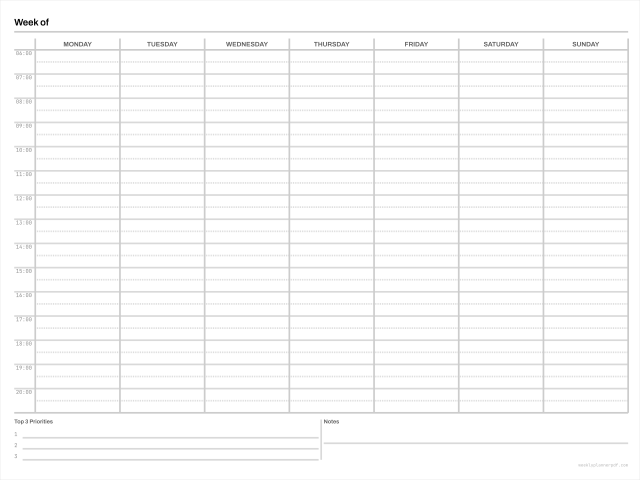
Digital weekly planner for tablets
A hyperlinked PDF built for annotating on a tablet: a tab rail to every month, working page links, and a page box sized for the screen rather than for paper.
No signup. No email. No watermark. No limits.
- Page box
- 381 x 285.8 mm 1080 x 810 pt
- Margins
- 12.7 mm all sides
- Colour
- DeviceGray, rules at 20% K
- Scaling
- Prints at 100%, Actual size preset
- Links
- Internal page links, tab rail and outline
Other versions: Sunday start, 2-up and trim-mark sheets
Digital (tablet)
What makes a PDF a digital planner
Three things, and free files almost never have any of them. A page box sized for a tablet screen rather than for paper. Working internal links, so tapping a month tab actually goes there. And no print margin, because there is no paper edge to avoid.
Ours are 810 x 1080 points, which is exactly the logical point size of a 10.2 inch iPad and exactly the 1620 x 2160 pixel canvas the digital planner industry standardised on, at a clean 4:3. Full bleed, with an internal safe zone instead of a margin: 32 points at the top to clear the app toolbar, 24 on the tab rail edge, 20 elsewhere.
The links are real, and here is how to check
Open the file in any PDF reader and look at its properties, or run it through a PDF inspector. A hyperlinked planner contains Link annotation objects; a flat one contains none. Every free weekly planner we inspected during research contained none, including one whose page mentions a well-known note-taking app twenty-six times.
Our year edition contains over nine hundred of them. The tab rail is built from internal destination links pointing at a specific page object, not named destinations, because several readers silently resolve named destinations to page one.
Tapping the tabs, app by app
On an iPad the behaviour differs by app and it is worth knowing before you assume a file is broken. In Goodnotes you generally need to be in read-only mode for a tap to follow a link rather than draw; a finger long-press also works, and an Apple Pencil tap never does. Notability shows a small page-number preview before it navigates. On Android, Windows and the web version of Goodnotes, hyperlinks in imported PDFs do not currently work at all.
That last one is why this file does not depend on its links. Every page carries a visible week number, and there is a printed index page listing every week with its dates. If the links do not work on your device the file still navigates, just by scrolling to a number instead of tapping.
e-ink devices
reMarkable, Supernote, Kindle Scribe, Boox and Kobo all support internal PDF links to varying degrees, and all of them respond to a finger tap rather than a stylus. The tab rail is inset at least 24 points from the page edge because most of these devices reserve edge bands for their own gestures, and a tab under a gesture band is a tab you cannot press.
Also known as
This layout is searched for under several names, and they all describe the same file: digital planner ipad free, hyperlinked digital planner free, tablet weekly planner pdf. One page, one grid.
Questions
Will this work in Goodnotes, Notability or Noteshelf?
Yes. It is a standard PDF with standard link annotations, which all three import. On iOS the taps work; on Android and Windows, link support in imported PDFs is limited, so the file also carries visible week numbers and a printed index.
How many pages, and how large is the file?
The full year edition is 65 pages and about 0.22 MB. Some paid planners run to 1,300 pages and hundreds of megabytes, which is the main cause of the slow scrolling and crashes people report. Small and fast is a feature.
Can I print it?
You can, but you should not. Digital pages are full bleed with no print margin and a 4:3 page box, so a printer will clip or letterbox them. Use the print sizes for paper; they are laid out separately, not scaled from this.
Related
- Hyperlinked weekly planner
The same file, with app-specific import steps
- Import planner pdf into a notes app
Step by step, with the read-only mode setting
- Letter size weekly planner
If you actually want to print it