Weekly time blocking template
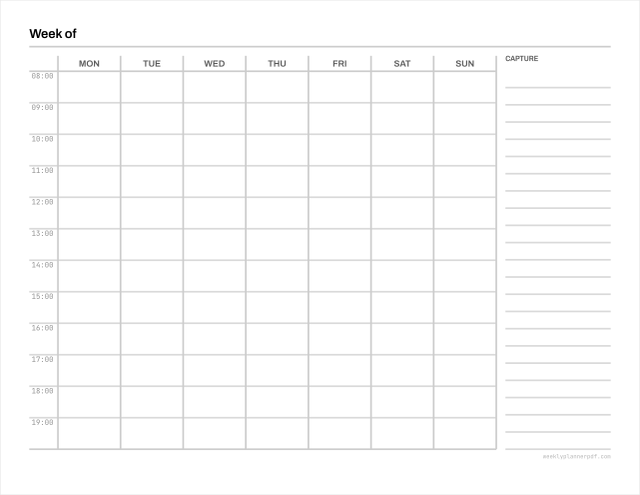
An hour grid with a full-height capture column beside it. The column is not decoration: time blocking only works if the tasks you are blocking have somewhere to live first.
Paper size
No signup. No email. No watermark. No limits.
- Page box
- 279.4 x 215.9 mm 792 x 612 pt
- Margins
- 12.7 mm all sides
- Writing rows
- 7.5 mm
- Hours
- 06:00 to 21:00, 30 min rows
- Colour
- DeviceGray, rules at 20% K
- Scaling
- Prints at 100%, Actual size preset
Other versions: Sunday start, 2-up and trim-mark sheets
What time blocking actually asks you to do
Time blocking means giving every hour of the week a job in advance, rather than working from a list and hoping the day accommodates it. The method is usually credited to Cal Newport, and the mechanical part is simple: list what needs doing, estimate how long each thing takes, then draw those estimates onto the calendar as blocks.
The part people skip is the estimate, and it is the part that makes the method work. A list of twelve tasks looks achievable until you write hours next to them and discover it is nineteen hours of work in a nine-hour day. The grid is what makes that visible.
Why there is a capture column
Every serious time-blocking layout carries one, and blank hour grids sold as time-blocking templates are missing the half that does the work. The column is where the week's tasks land before they are placed, and where anything that arrives mid-week goes so it does not disrupt a block you already committed to.
The column is allocated from whatever width is left after the seven day columns clear their minimum, never as a fixed fraction. On smaller sheets that means the grid keeps its columns and the page tells you it needs a larger sheet, rather than silently narrowing the days.
How the grid is drawn
Solid rules on the hour, dashed on the half hour, and no cell borders inside a day. This is deliberate: a block spans several slots and is drawn by hand as one shape, so vertical lines cutting through it would fight the pen. It is the same convention Cal Newport's own published layouts use.
Ninety minutes is the interval most deep-work guidance suggests for a single block, which is three rows on the default grid.
Questions
How is this different from the hourly planner?
The grid is nearly the same. The difference is the capture column and the absence of cell borders inside each day, both of which the method needs. If you want a plain hour grid with more writing width, use the hourly planner.
What hours should I block?
Block your working hours plus whatever personal commitments are already fixed. Most people who try to block a full waking day abandon it within a fortnight. The default is 6am to 9pm so there is room for both, but you can narrow it in the generator.
Related
- Hourly weekly planner
A plain hour grid without the capture column
- Weekly to do list
If you want the task list without the calendar